> ## Documentation Index
> Fetch the complete documentation index at: https://docs.embedchain.ai/llms.txt
> Use this file to discover all available pages before exploring further.
# Modal.com
> Deploy your RAG application to modal.com platform
Embedchain has a nice and simple abstraction on top of the [Modal.com](https://modal.com/) tools to let developers deploy RAG application to modal.com platform seamlessly.
Follow the instructions given below to deploy your first application quickly:
## Step-1 Create RAG application:
We provide a command line utility called `ec` in embedchain that inherits the template for `modal.com` platform and help you deploy the app. Follow the instructions to create a modal.com app using the template provided:
```bash Create application theme={null}
pip install embedchain[modal]
mkdir my-rag-app
ec create --template=modal.com
```
This `create` command will open a browser window and ask you to login to your modal.com account and will generate a directory structure like this:
```bash theme={null}
├── app.py
├── .env
├── .env.example
├── embedchain.json
└── requirements.txt
```
Feel free to edit the files as required.
* `app.py`: Contains API app code
* `.env`: Contains environment variables for production
* `.env.example`: Contains dummy environment variables (can ignore this file)
* `embedchain.json`: Contains embedchain specific configuration for deployment (you don't need to configure this)
* `requirements.txt`: Contains python dependencies for your FastAPI application
## Step-2: Test app locally
You can run the app locally by simply doing:
```bash Run locally theme={null}
pip install -r requirements.txt
ec dev
```
## Step-3: Deploy to modal.com
You can deploy to modal.com using the following command:
```bash Deploy app theme={null}
ec deploy
```
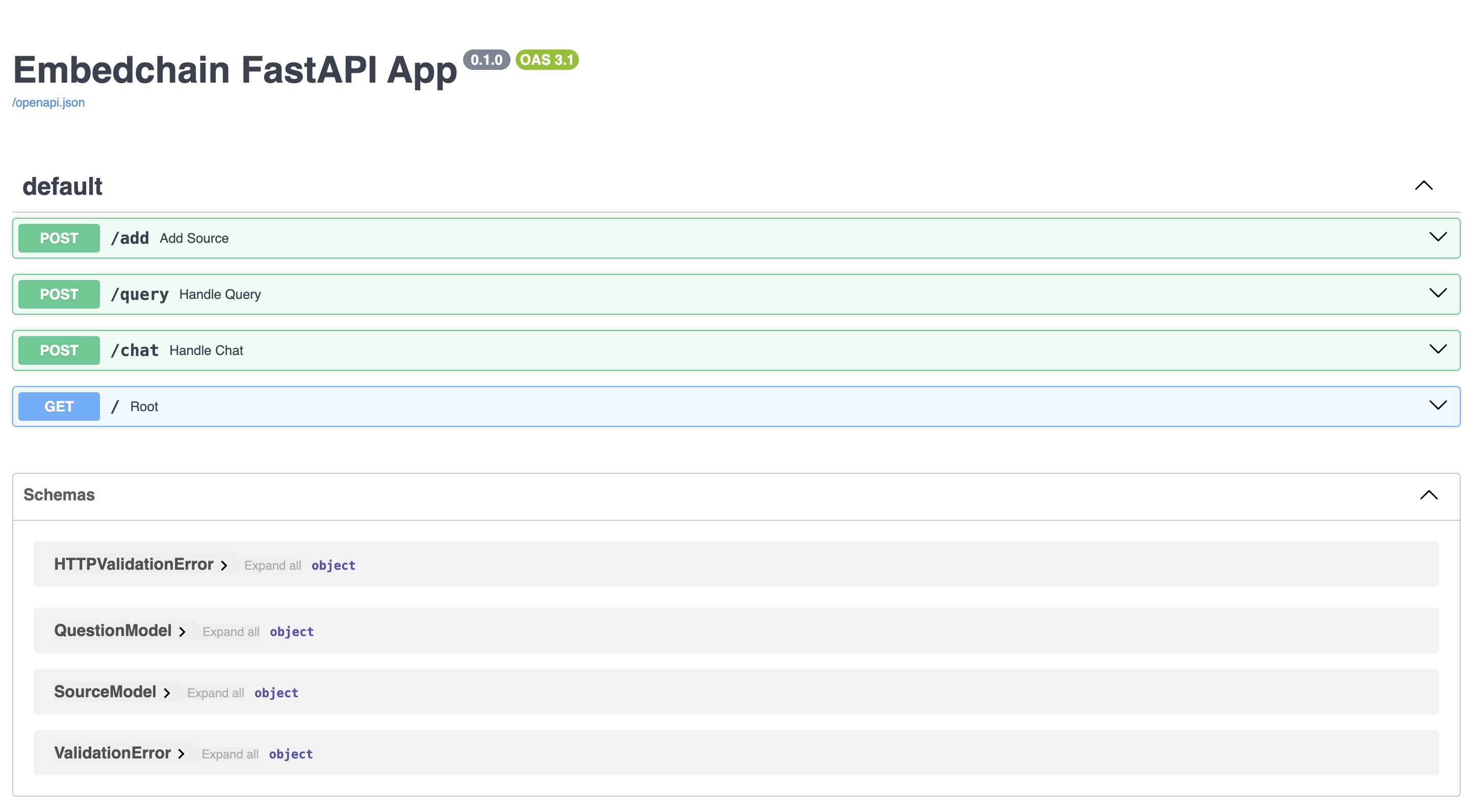
Once this step finished, it will provide you with the deployment endpoint where you can access the app live. It will look something like this (Swagger docs):
 ## Seeking help?
If you run into issues with deployment, please feel free to reach out to us via any of the following methods:
## Seeking help?
If you run into issues with deployment, please feel free to reach out to us via any of the following methods: